AWS MCP Server Lambda Triage: Split Diagnostic Reads From Deploy Writes
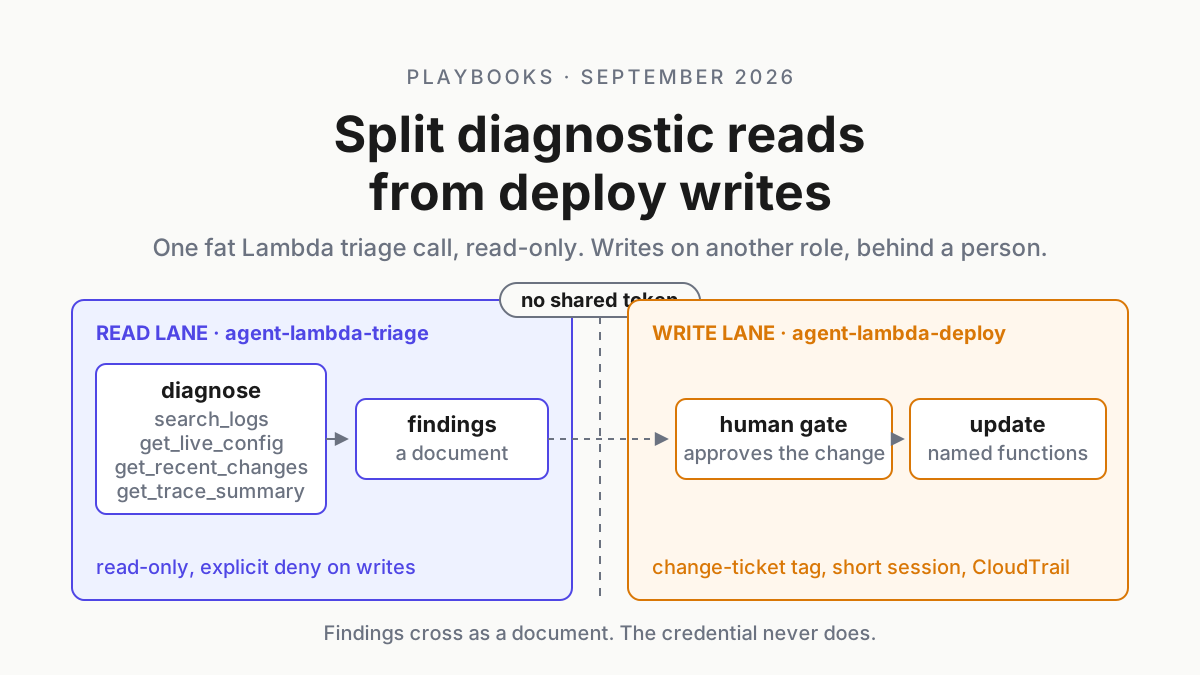
The AWS MCP Server Lambda capability triages in one read-only call. Keep deploy writes on a separate IAM role, MCP config entry and human gate, logged apart.

Go deeper. Build your own.
Ask an agent why a Lambda function started throwing at 02:10 and watch it invent the investigation: get the function configuration, list the event source mappings, filter the log group, pull five metrics, describe the queue, describe the state machine, check the API stage, then repeat half of it because the first answers scrolled out of context. Forty calls is easy to reach. On Sep 4, 2026, AWS shipped an AWS MCP Server Lambda diagnostics capability that answers the core triage question in one read-only call against a 7-day baseline, for coding agents such as Claude Code and Kiro.
Take it. A vendor-built function that answers a whole question in one call is better than an agent composing forty, on tokens, on repeatability and on the number of chances it gets to pick the wrong API. Then do the part AWS’s announcement does not do for you: put every write and redeploy path on a different IAM role, a different MCP config entry and a human gate. Read triage and write blast radius are different jobs, and the token that does one must never be able to do the other.
Fat tool is our term, not AWS’s. AWS says capability and helper functions, and single call is its phrase for diagnose. The distinction this piece runs on is ours too: a fat read tool is a gift, and a fat write tool is a tier.
Sep 4, 2026: the AWS MCP Server Lambda capability, five helpers, read-only
AWS’s What’s New post opens: “Today, AWS Model Context Protocol Server (AWS MCP Server) added a serverless capability so that coding agents such as Claude Code and Kiro can efficiently diagnose issues with your Lambda functions.” (AWS What’s New). It is available through the Agent Toolkit for AWS or as a standalone installation, set up with aws configure agent-toolkit from the AWS CLI or by enabling the server directly. The connected services it names are Amazon API Gateway, Amazon EventBridge, Amazon S3, Amazon DynamoDB, Amazon SNS, Amazon SQS and AWS Step Functions, and AWS says the serverless diagnostic capabilities come at no additional cost.
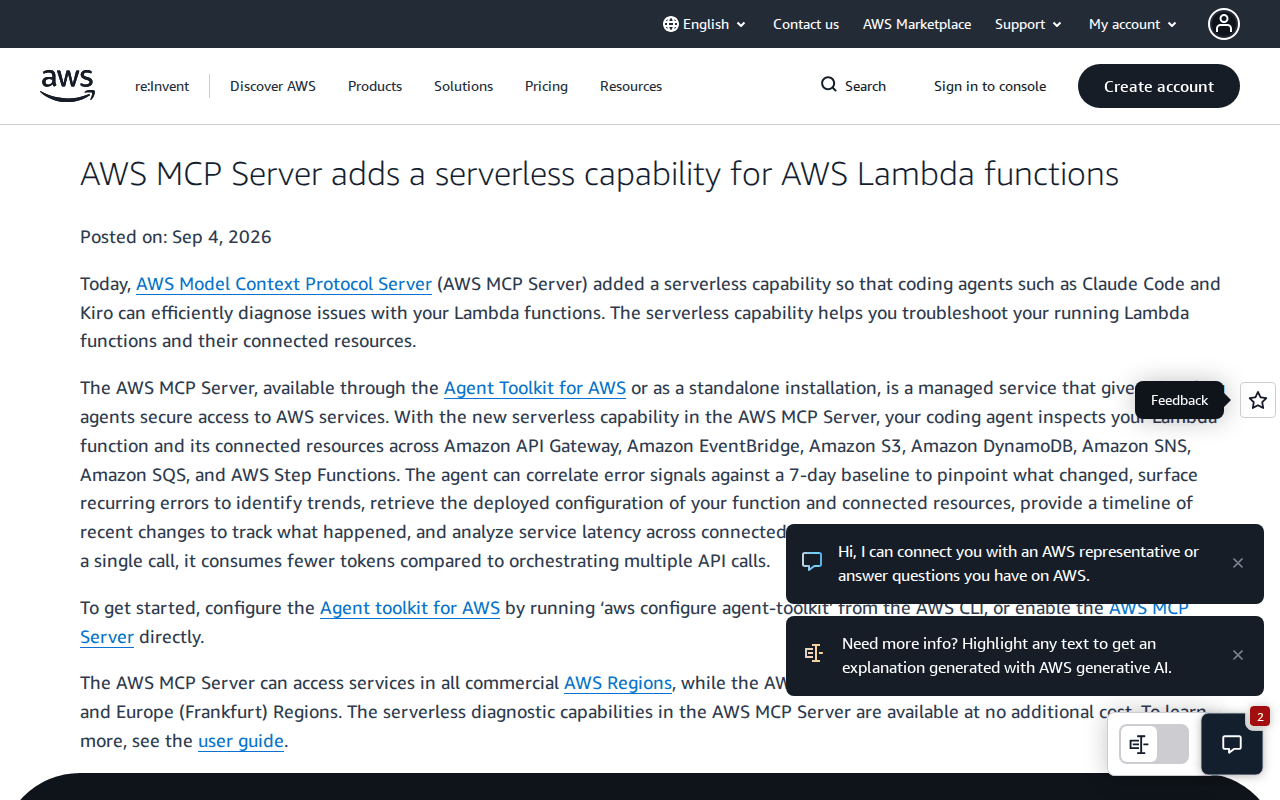 Screenshot: AWS What’s New, “AWS MCP Server adds a serverless capability for AWS Lambda functions” (Sep 4, 2026), captured Sep 19, 2026.
The capabilities doc explains the packaging: “A capability groups a set of helper functions that work together to handle a specific kind of AWS task.” (AWS docs). The serverless capability has five.
| Helper function | What it returns, per the capabilities doc |
|---|---|
diagnose |
“Returns a combined health check and rule-based diagnosis for a Lambda function and its connected resources in a single call”: health, metrics against a 7-day baseline, trigger and destination detection, root cause correlated across connected resources |
search_logs |
CloudWatch Logs evidence; “The response groups log messages into common exception types and representative error lines, producing a structured summary for agents to consume.” |
get_live_config |
the deployed configuration of the function and its connected resources |
get_recent_changes |
a timeline of deployments and configuration changes |
get_trace_summary |
X-Ray latency across connected resources; “For this helper function to return results, X-Ray tracing must be enabled on the function.” |
Two lines carry the rest of this article. The scope, from the capabilities doc: “The capability is scoped to the caller’s own account and is read-only.” The hosting, from the What’s New post: “The AWS MCP Server can access services in all commercial AWS Regions, while the AWS MCP Server itself runs in the US East (N. Virginia) and Europe (Frankfurt) Regions.”
The same post makes the efficiency claim without a number: “As the agent gets comprehensive data in a single call, it consumes fewer tokens compared to orchestrating multiple API calls.” The docs name no clients; only the announcement names Claude Code and Kiro.
Forty invented calls versus one diagnose call
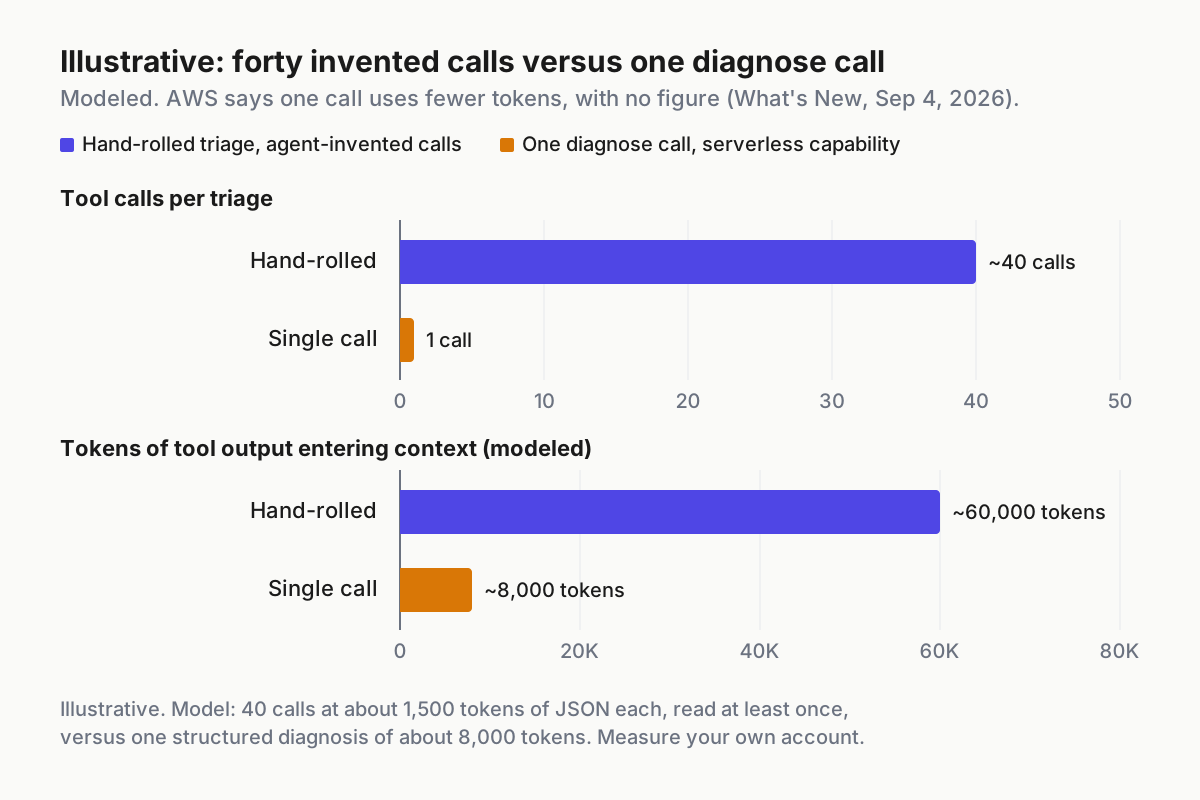 Illustrative and modeled. AWS says the single call consumes fewer tokens and gives no figure; the bars are our model of a typical hand-rolled triage.
The chart is modeled, so treat the shape rather than the digits: forty calls returning roughly 1,500 tokens of JSON each is 60,000 tokens of tool output the model reads at least once and, as context compacts, often twice. One structured diagnosis of about 8,000 tokens replaces that. AWS publishes no figure and neither should you until you have measured your own account, but the direction is not in doubt.
Three reasons beat the token math. The diagnosis rules are AWS’s and run the same way each time, so two agents triaging the same function on different days produce the same shape of answer, which is what makes a triage replayable in a postmortem. The baseline is computed server-side over seven days, which an agent composing its own calls would have to reconstruct or, more likely, skip. And a session that makes one read call gets one chance to pick a wrong API instead of forty, including the mutating ones that share a prefix with the reads.
Read triage is not write blast radius
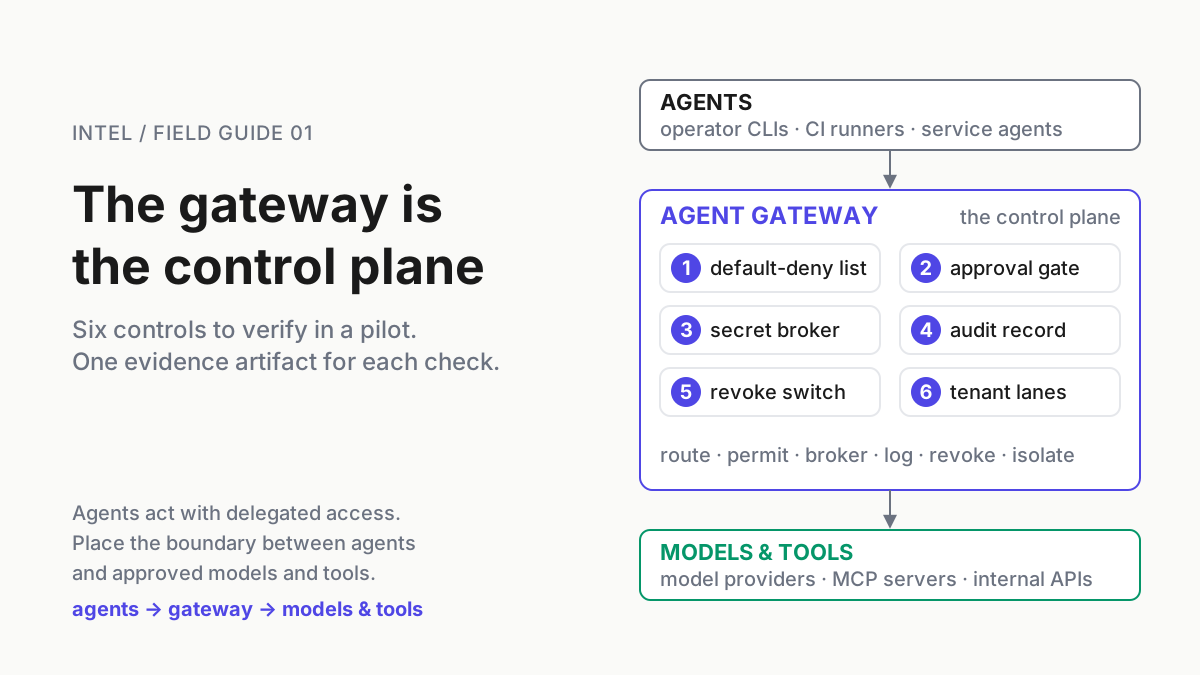
The read-only promise is a property of one capability, not of the session that calls it. The same server does more: “To execute AWS API calls, run Python scripts in a sandboxed environment, or follow curated skills, agents authenticate through your existing IAM credentials.” (AWS docs). The server doc adds that “All capabilities are available through a single endpoint with CloudWatch metrics and IAM-based access controls.”
So the credential behind the MCP entry is whatever you configured, and the docs we read name no IAM action, managed policy or consent prompt for mutating calls. Anything written below about IAM is our shape, not AWS’s.
Which means: if the profile behind your triage entry can update function code, the agent that just diagnosed the function can also redeploy it, and the only thing between the two is the model’s judgment at 02:10. The read tool set did not create that exposure. The shared credential did.
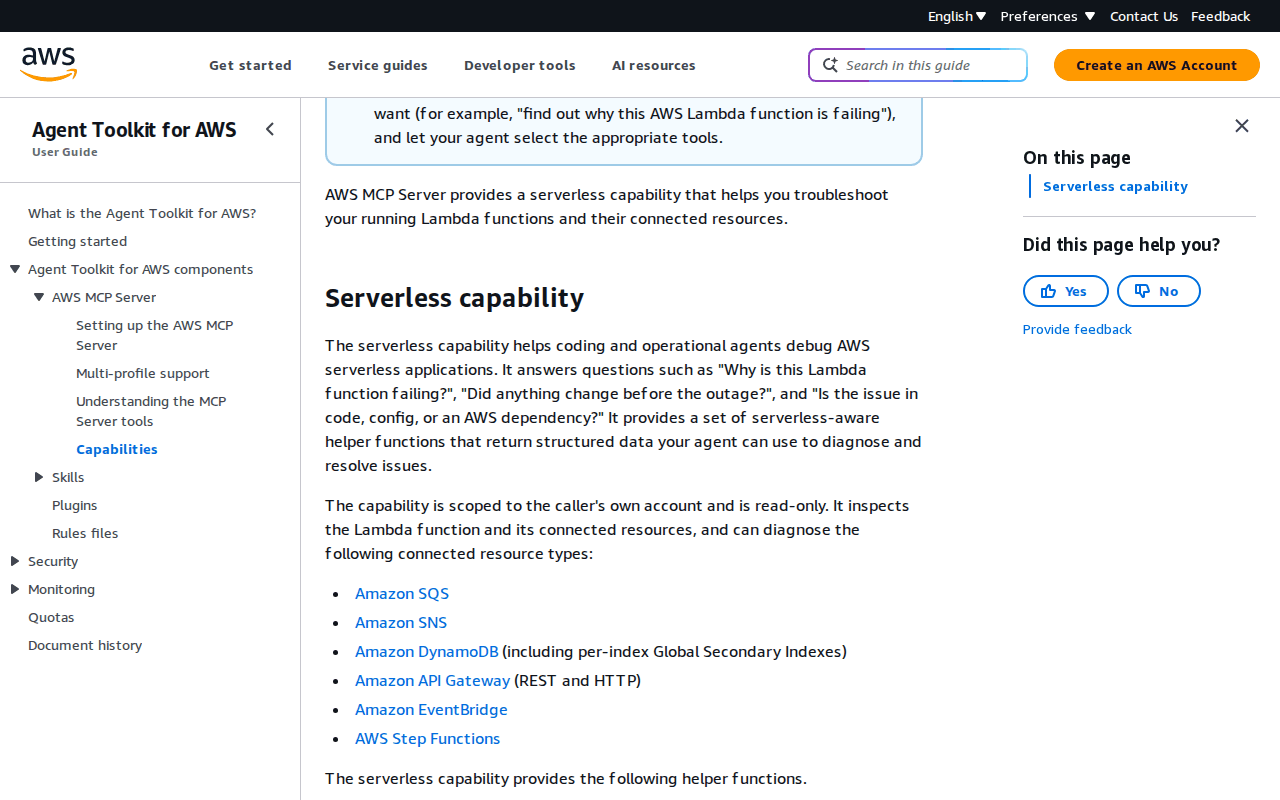 Screenshot: AWS Documentation, “Capabilities - Agent Toolkit for AWS” (undated), captured Sep 19, 2026.
GitLab wrote the dialect down with its 19.4 release on Sep 17, 2026: “Read-only tools default to Always allow, so routine lookups run without interrupting the team.” and “Write and delete tools default to Always ask, giving a reviewer a checkpoint before an agent changes anything.” (GitLab blog). The Always-ask dialect is worth copying onto every platform. On AWS, the docs describe no such mode on the vendor’s side, so the enforcement point is IAM, and the split has to be built from roles.
The runbook: two roles, two tool sets, two config entries
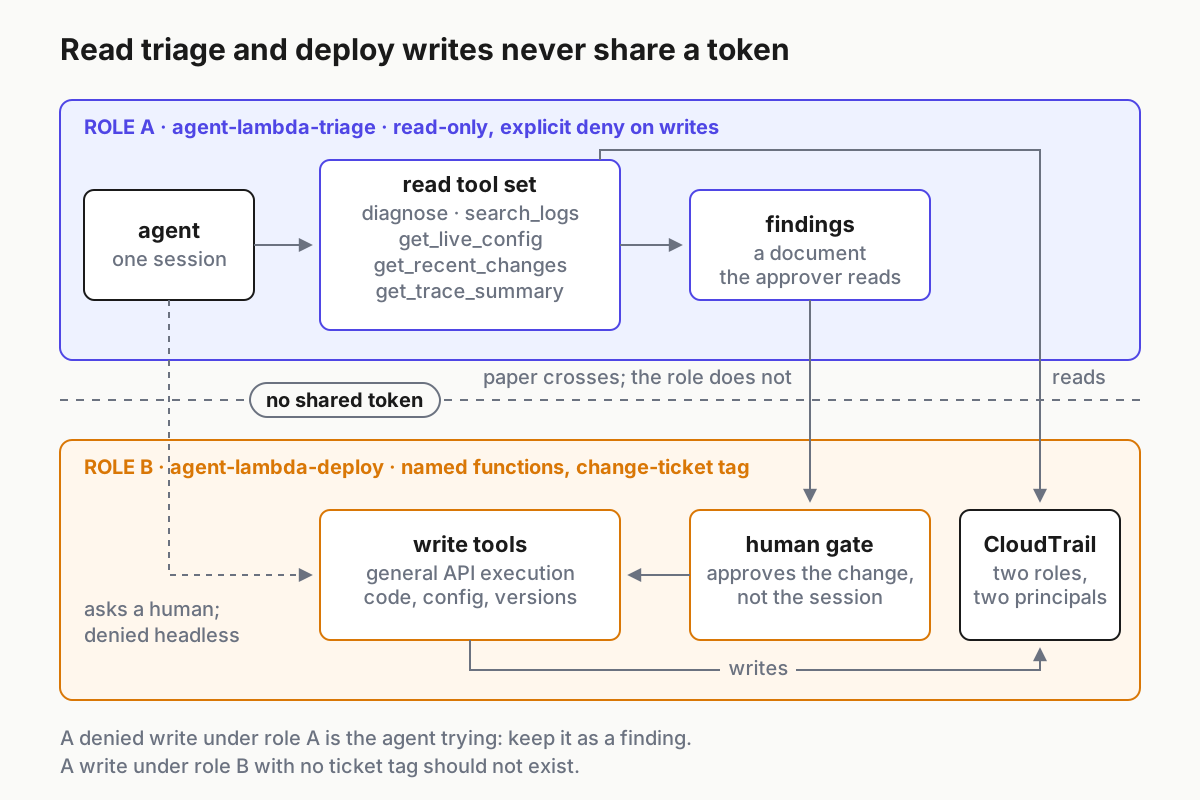 The mechanism. Findings cross the gate as a document; the credential never does.
Five steps, each ending in a file or a rule someone else can read. Every policy and config below is illustrative; the AWS MCP docs name no actions, so verify each against your account’s own denials before you trust it.
Step 1: mint two roles with different trust policies
agent-lambda-triage reads. agent-lambda-deploy writes, to named functions only, for short sessions, and only when a person assumes it on purpose.
Anthropic’s September 2026 misuse report gives the rule for both: “Organizations should treat AI keys and agent integrations with the same level of seriousness as they do production credentials—because attackers treat them with the same level of seriousness, too.” (Anthropic). The deploy role is a production credential. Treat it as one.
{
  "Version": "2012-10-17",
  "Statement": [
    { "Sid": "TriageReadsOnly", "Effect": "Allow",
      "Action": ["lambda:Get*", "lambda:List*", "logs:Describe*", "logs:FilterLogEvents",
                 "cloudwatch:GetMetricData", "xray:GetTraceSummaries", "xray:BatchGetTraces",
                 "sqs:GetQueueAttributes", "sns:GetTopicAttributes", "dynamodb:Describe*",
                 "events:Describe*", "states:Describe*", "apigateway:GET"],
      "Resource": "*" },
    { "Sid": "NeverWrite", "Effect": "Deny",
      "Action": ["lambda:Update*", "lambda:Create*", "lambda:Delete*", "lambda:Publish*", "lambda:Put*"],
      "Resource": "*" }
  ]
}
The explicit deny is the point of the triage policy. A read role that merely lacks write actions is one attached policy away from having them; a role that denies them stays read-only when someone helpful attaches a broad managed policy later. The deploy role is the mirror image, and narrower.
{
  "Sid": "DeployNamedFunctions", "Effect": "Allow",
  "Action": ["lambda:UpdateFunctionCode", "lambda:UpdateFunctionConfiguration", "lambda:PublishVersion"],
  "Resource": "arn:aws:lambda:*:*:function:orders-*",
  "Condition": { "StringLike": { "aws:PrincipalTag/change_ticket": "CHG-*" } }
}
The condition means the deploy role does nothing unless the session that assumed it carried a change ticket tag, which a person supplies when they assume it and an unattended agent does not have.
Step 2: two config entries, two profiles, never one
The AWS MCP Server is a managed remote server. AWS’s getting-started page connects a client through a local mcp-proxy-for-aws-cli process that signs each request with your AWS credentials. Duplicate that entry under two names, each bound to exactly one profile.
{
  "mcpServers": {
    "aws-triage": { "command": "uvx",
      "args": ["mcp-proxy-for-aws-cli@latest", "https://aws-mcp.us-east-1.api.aws/mcp"],
      "env": { "AWS_MCP_PROXY_PROFILES": "agent-lambda-triage" } },
    "aws-deploy": { "command": "uvx",
      "args": ["mcp-proxy-for-aws-cli@latest", "https://aws-mcp.us-east-1.api.aws/mcp"],
      "env": { "AWS_MCP_PROXY_PROFILES": "agent-lambda-deploy" } }
  }
}
One profile per entry is the rule, and AWS’s multi-profile support is the reason. List several profiles on one entry and the proxy adds an aws_profile parameter to tools such as run_script, so the agent picks the profile call by call; the first one listed is only the default. AWS’s advice is a read-only default with write-capable profiles chosen explicitly, and on a shared entry the one choosing is the agent. The same page says AWS_MCP_PROXY_PROFILES takes precedence over --profile and AWS_PROFILE, so set it in each entry and make sure no shell profile exports it globally.
The aws-deploy entry does not live in the project config that travels with the repo, and it does not live on the build boxes. It lives in the user-scope config of the host where changes are made, and nowhere else. A headless run that finds a deploy entry in a checked-out .mcp.json can load it, and nobody will be there to answer a prompt.
Step 3: harness rules that copy the GitLab dialect
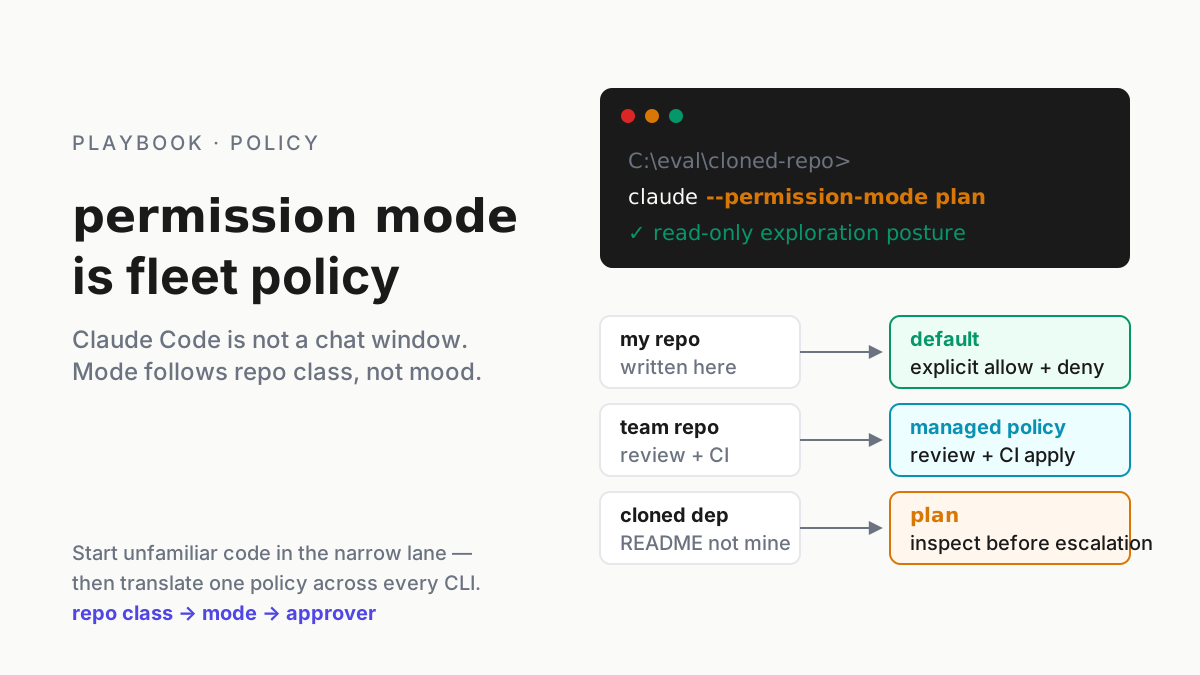
With two server names, the harness rule is one line per tier. In Claude Code, a rule naming mcp__aws-triage matches every tool on that server, so put it under allow, put mcp__aws-deploy under ask, and pass --disallowedTools "mcp__aws-deploy" to any session started with -p. The permissions docs evaluate deny, then ask, then allow, whatever the rule’s specificity, so a broad allow elsewhere cannot reopen the deploy server. Other harnesses spell the same three verbs differently; the shape is allow the read set, ask on the write set, deny the write set where no human is present.
That rule is GitLab’s default matrix rebuilt from parts: reads run silently, writes wait for a reviewer, and the reviewer is a named person rather than a mode (GitLab docs). GitLab makes the same call for background flows, where “Always Ask does not apply, because no user is present to respond to an approval prompt in a background flow.”
Step 4: the gate approves a change, not a session
When the agent finishes triage, the write begins with a findings document the approver can read in two minutes, and the approval attaches to the change that document describes. The document has five parts, all of which the read tool set already produced.
| Part | Source | What the approver checks |
|---|---|---|
| Function and account | get_live_config |
the right function, the right account, the right region |
| Exception groups | search_logs |
the error the change claims to fix is the error the logs show |
| Change timeline | get_recent_changes |
what changed before the errors started, and whether the proposed change reverts it |
| Baseline delta | diagnose |
which metric moved against the 7-day baseline, and by how much |
| Proposed write | the agent’s plan | the exact action, the exact function ARN, the role that will run it |
Approving a session, or approving the first write and letting the rest through, leaves a Lambda-shaped hole that gates placed before each action exist to close. Approving the change means the deploy role is assumed for that change, tagged with that ticket, and released. A queue that stays readable is the difference between a gate and a rubber stamp; the findings document is what keeps it readable.
Step 5: evidence by principal
“CloudTrail logs all API calls for audit visibility.” (AWS docs). Because the two roles are different principals, the trail separates itself without any work from you.
Every event under agent-lambda-triage should be a read. A denied write under that role is the agent trying, and that is a finding to keep, not noise to filter. Every event under agent-lambda-deploy should map to a change ticket, and a session with no tag should not exist.
# triage-writes.sh -- illustrative: any non-read call under the triage role in the last day is a finding
# assumes triage sessions use the role session name agent-lambda-triage (CloudTrail's Username for an assumed role)
aws cloudtrail lookup-events --lookup-attributes AttributeKey=Username,AttributeValue=agent-lambda-triage \
  --start-time "$(date -u -d '1 day ago' +%FT%TZ)" --query 'Events[].{t:EventTime,e:EventName,err:CloudTrailEvent}' \
  --output json | jq -c '.[] | select(.e | test("^(Get|List|Describe|Filter|BatchGet)") | not)'
Save the triage findings document beside the change ticket, with the tool-output hashes. The postmortem will want the diagnosis the approver saw, not the one the agent would produce today.
Thresholds worth writing into the same file, all illustrative except the X-Ray line, which is AWS’s: a triage session budget of one diagnose plus five follow-up reads before the agent must report; X-Ray tracing enabled on every function you expect to triage, because get_trace_summary returns nothing otherwise; a note that a function deployed inside the last seven days is compared against a baseline that already includes days of the new code, and the docs do not say how the baseline treats that.
Six leaks in the AWS MCP read/write split
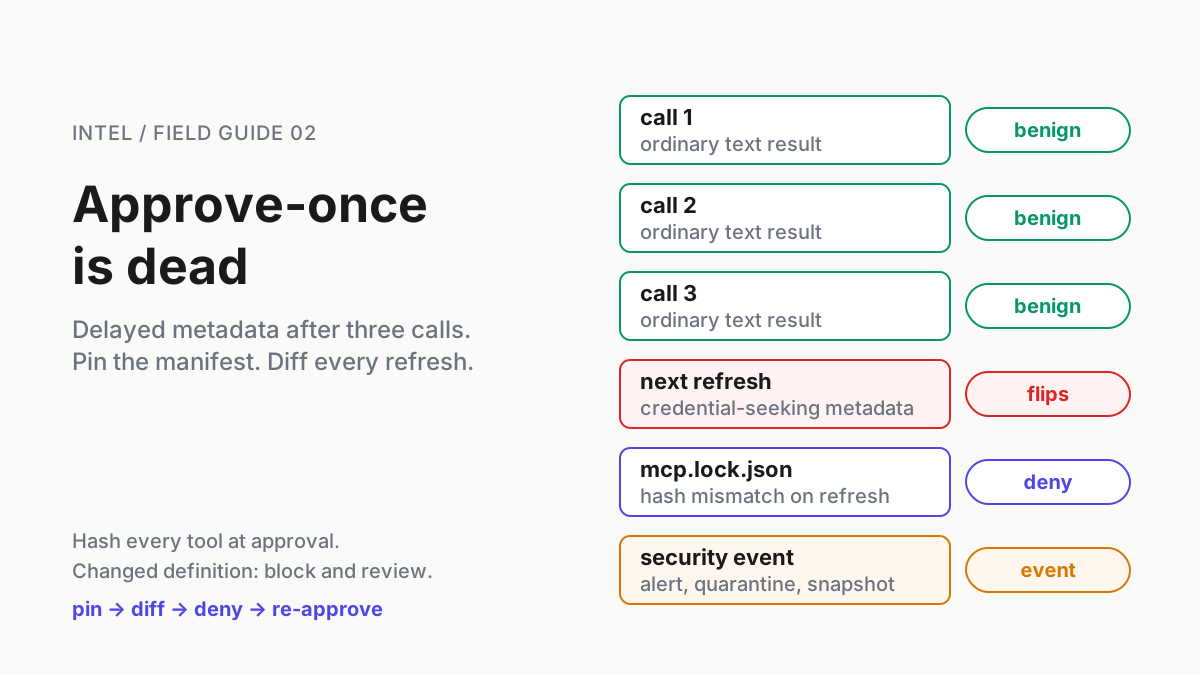
One profile behind both entries. Signal: a successful write event under the triage principal in CloudTrail, which means the role was never read-only, whatever the agent intended. Action: the explicit deny from Step 1, today, and one profile per entry from Step 2.
The copy-paste bypass. The agent, denied a write, prints the CLI command and suggests you run it. Signal: a transcript that ends in aws lambda update-function-code and a helpful tone. Action: the gate is the deploy role, so the change goes through the gated entry or does not go; a command pasted into your own admin shell has no ticket, no tag and no findings document.
A deploy entry in a repo. Signal: the weekly config sweep finds aws-deploy in a project-scope file. Action: remove it, and find the commit.
Thin baseline. Signal: diagnose reports an anomaly on a function get_recent_changes shows was deployed yesterday. Action: read the timeline first and the baseline second; a baseline that contains the incident is a mirror.
Empty traces. Signal: get_trace_summary returns nothing. Action: X-Ray tracing was never enabled; enable it before the next incident rather than during this one.
Regional transit. The server runs in US East (N. Virginia) and Europe (Frankfurt) and reaches all commercial Regions, so on our reading a triage of a function elsewhere is answered from one of those two. Signal: none in the console; it is a data-flow fact. Action: record it where your residency notes live.
Two roles is a fleet policy, not a laptop setting
The split only holds if every host that can reach the account holds it the same way, which makes it an agent identity decision before it is a config decision: agents get their own principals, the principals differ by what they may write, and a person’s own credentials never sit behind an MCP entry. That is agentic ops in one sentence, and a command center is where the triage sessions and the gated deploys show up as different rows with different roles, so the operator can see at a glance that no session holds both.
The same logic runs the other direction on the same server: the documentation search that needs no credential at all belongs in a keyless tier of its own, because tier is a property of the tool set, never of the vendor. AWS shipped a good read tool. The split is what keeps it a read tool.
FAQ: AWS MCP Server Lambda diagnostics
What does the AWS MCP Server serverless capability do?
Added Sep 4, 2026, it gives coding agents such as Claude Code and Kiro five read-only helper functions for Lambda triage: a single-call diagnosis against a 7-day baseline, grouped log evidence, live configuration, a change timeline and X-Ray trace summaries across connected services. It is scoped to the caller’s account and costs nothing extra.
Can the AWS MCP Server modify my Lambda functions?
The serverless capability cannot; AWS documents it as read-only. The same server also executes AWS API calls under your existing IAM credentials, and the docs name no IAM specifics for that path, so whether an agent can redeploy depends entirely on the role behind the config entry. Give triage and deploys different roles.
How do I keep an AI agent from deploying to AWS without approval?
Split by principal, not by prompt. A read-only role with an explicit deny on writes sits behind the triage entry; a deploy role scoped to named functions and conditioned on a change-ticket tag sits behind a separate entry found only on the change host. The harness asks on that entry; CloudTrail shows two principals.
Sources
- AWS What’s New: AWS MCP Server adds a serverless capability for AWS Lambda functions (Sep 4, 2026). Clients named, connected services, single-call token claim, setup path, hosting Regions, no additional cost.
- AWS Docs: Capabilities, Agent Toolkit for AWS. The five helper functions, the 7-day baseline, read-only account scope.
- AWS Docs: AWS MCP Server. API execution under existing IAM credentials, single endpoint with IAM-based access controls, CloudTrail logging.
- AWS Docs: Getting started with the AWS MCP Server. Managed remote server, client entries through
mcp-proxy-for-aws-cli. - AWS Docs: Multi-profile support.
AWS_MCP_PROXY_PROFILES, the agent-selectableaws_profileparameter, read-only default advice. - GitLab blog: New MCP tools help platform teams scale automation safely (Sep 17, 2026). Reads Always allow, writes and deletes Always ask.
- GitLab Docs: Agent tool governance. The default matrix, the three modes and the background-flow rule that Step 3 copies.
- Claude Code Docs: Configure permissions.
mcp__<server>rules, deny-then-ask-then-allow evaluation,--disallowedTools. - Anthropic: Detecting and countering misuse of AI, September 2026. Treat AI keys and agent integrations like production credentials.